

Set the brief
Give the work direction with audience, intent, voice and style guidance.
BRIEFS. DRAFTS. EDITORIAL CONTROL.
Connect content drafts, voice guidance, assets and editorial review in a purposeful creative workspace.
Ask about access and editorial workflow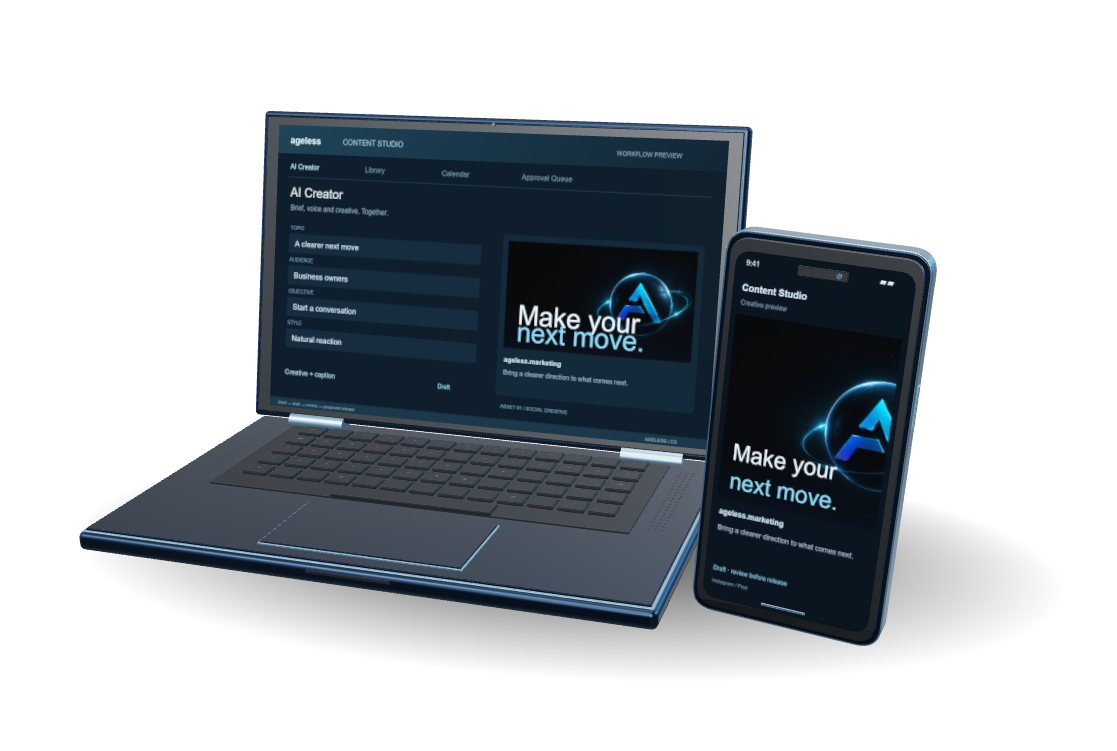
Keep the brief, creative and caption together.
Interactive product study, adapted from Content Studio’s actual interface. Drafts and schedule proposals are supported; channel previews do not send posts. Publishing connections are confirmed with Ageless.
PURPOSE, BEFORE FEATURES
Keep content work organized from its starting brief to the draft and review. Voice and style controls, reviewer assignment and calendar views support a more considered editorial process.
Give the work direction with audience, intent, voice and style guidance.
Bring writing and relevant assets into the same workflow.
Coordinate reviewers, track content and use calendar views to plan what comes next. Publishing depends on the configured workflow.
THE VALUE IN PRACTICE
Content Studio fits businesses and editorial teams that want the brief, draft and review to stay connected. Audience, intent, voice and style guidance give the work a starting direction, while relevant assets belong alongside the writing. Reviewer assignment and calendar views support the process of deciding what needs attention and what comes next. It is useful when content requires considered input from several people and the team needs to keep the purpose of each piece visible throughout development.
The useful handoff brings a content draft together with its brief, voice guidance and relevant assets, giving the reviewer context for the decisions in the writing. Your team can coordinate reviewers, track the content and use calendar views to plan the next work. From there, the next action is editorial review: check the piece against its intended audience, purpose and style before release. Publishing depends on the configured workflow, so the review and release steps should reflect how your team operates.
DESIGNED FOR MARKETING AND EDITORIAL TEAMS
Set the audience, intent, voice and style guidance that should shape the work. Keeping those decisions with the content brief gives writers and reviewers a shared reference for the piece.
Keep the draft and relevant creative assets connected to the original direction. Your team can assess whether the material serves its intended audience and refine the wording before passing it into review.
Assign reviewers and follow the draft through its editorial stages. Calendar views and proposed timing support planning while keeping approval and release decisions with the people responsible for the content.
FIT COMES FIRST
Ask about access and editorial workflow. We’ll confirm access, integrations and the right scope for your team.
Explore Content StudioBEFORE YOU CHOOSE
The inspected Content Studio workflow creates drafts and schedule proposals; it does not publish them automatically. Discuss the intended review and release process with Ageless before assuming an external publishing connection.
Voice and style guidance belong with the brief and draft workflow. Establish the audience, tone and editorial expectations at the start, then use human review to check how consistently the draft follows them.
The workflow includes reviewer assignment and editorial status tracking. Define who drafts, reviews and approves the work during setup so responsibilities and the next step remain clear for each piece.
REACH A PERSON TODAY
Call, e-mail, or pick a time. Phones are answered during business hours (Central); e-mail and bookings any time.